How to Watch Netflix Offline on Chromebook
Netflix, one of the best OTT platforms globally, is available for a wide range of devices, including Chromebook, making it a must-have app. If you have enabled Google Play Store support on your Chromebook, you can easily download and install the Netflix app on your device.
However, we always require an active internet connection to use it on a Chromebook. But what if I told you that you don’t need an active internet connection to watch Netflix? In this guide, we’ll discuss how to use and watch Netflix offline on a Chromebook. Additionally, we’ll also discuss how to download favorite movies and series on your device to watch them offline.
How to Install Netflix on a Chromebook
To use Netflix online and offline, you need to download and install the Netflix application from the Google Play Store on your Chromebook. For that, follow these steps:
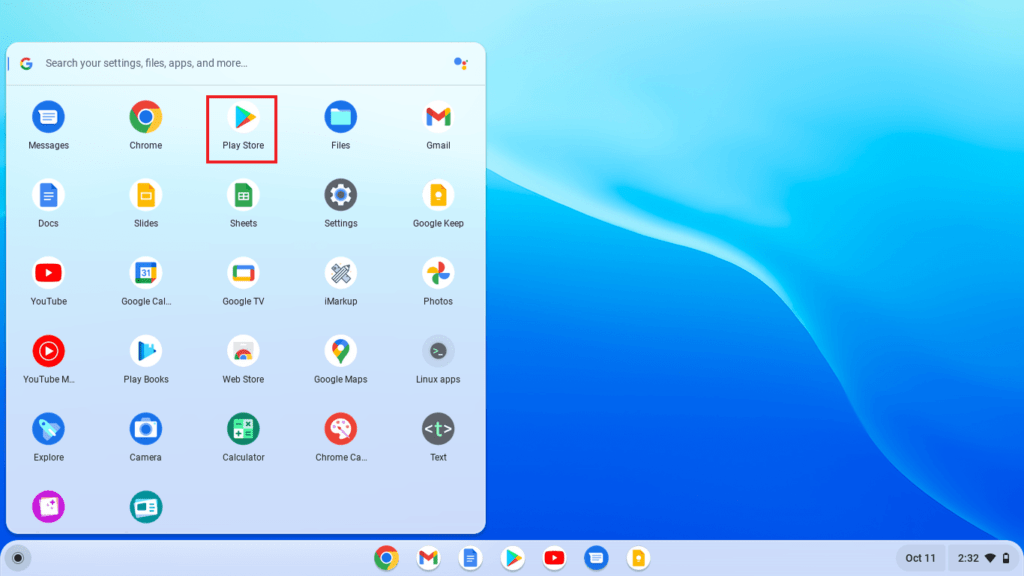
Step 1: Click on the App Launcher icon to open the app drawer.
Step 2: Here, look for Google Play Store and open it.
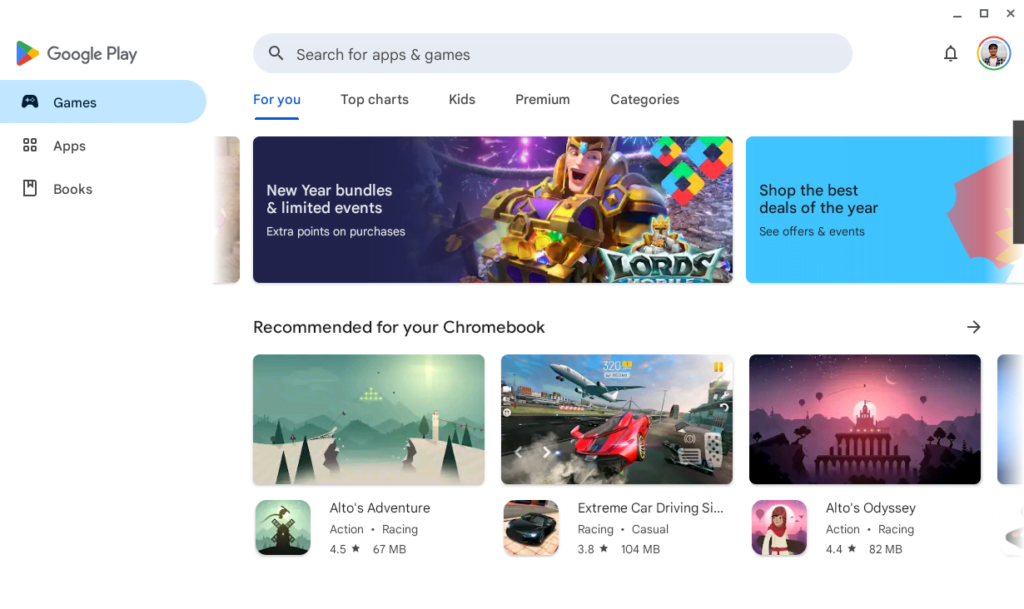
Step 3: It will open the Google Play Store. Here, search for the Netflix app on the search bar.
Step 4: Now, select the Netflix app from the search result and click the Install button to download and install the Netflix app on your Chromebook.
Screenshot not in the archive: Install Netflix Android App on Chromebook
Step 5: After that, wait for the process to complete. Once the installation is complete, click on the Open button to launch it. Alternatively, you will find the Netflix app icon in the app drawer, which you can use to open it.
Screenshot not in the archive: Highlighting Open Button
Step 6: Now, you need to sign in to your Netflix account to use the Netflix app.
Step 7: After that, you are ready to use it on your Chromebook. If you’re wondering how to use it offline, continue reading the guide till the end.
How to Watch Netflix Offline on Chromebook
How to watch movies and shows without the internet on Netflix? The Netflix application has a built-in feature that allows us to download movies and shows, enabling us to watch them offline. You just need to download your favorite shows when there is an internet connection.
Here are the steps that show you how you can watch Netflix offline on your Chromebook:
Step 1: Open the Netflix app.
Screenshot not in the archive: Netflix Interface
Step 2: Find and select a show or movie you want to download and watch offline. To download the show, click on the Download button.
Screenshot not in the archive: Download Button the on Netflix App
Step 3: Once the download is complete, it will appear in the My Downloads tab.
Screenshot not in the archive: Arrow Pointing to Download Icon to Watch Netflix Offline on Chromebook
You can watch these downloaded Netflix shows offline whenever you don’t have access to the internet. This is a simple trick you can apply to watch Netflix offline.
Conclusion
Watching Netflix content offline on your Chromebook is now possible, thanks to a new feature introduced by the streaming platform. However, please note that not all movies and shows on Netflix are available for download.
Therefore, it is recommended that you search for downloadable content before going offline. If you have any questions or suggestions, feel free to leave them in the comments section.

You did it!
You reached the end of this guide. Want to learn one more thing?

Written in 2023 for the ChromeOS and Chrome versions of that time, so menus may look different today. Restored from the Internet Archive copy of 2024-09-07. 5 of 7 screenshots were not saved by the archive; their captions are kept in the text.